




Embarking on a DIY computer upgrade promises the allure of faster performance, but reality often delivers a chaotic comedy of tangled wires, incompatible parts, and unexpected mishaps. From tangled cables resembling modern art to elusive tools and overlooked connections, the process can quickly turn into a frustrating puzzle. Small mistakes—like forcing hardware or forgetting crucial cables—transform straightforward upgrades into memorable lessons marked by humor and patience. Yet, amidst the chaos, these moments become stories of resilience and humor that define the DIY journey. Are you prepared to navigate this tangled web of hardware and humor? Embracing the mess with patience and a sense of humor not only makes the experience more enjoyable but also builds confidence and skills that last well beyond the final system boot.

The Chaotic Charm of DIY Computer Upgrades
Upgrading your computer might sound simple—just swap out a part, plug it in, and enjoy faster speeds. But anyone who’s tried knows it’s rarely that straightforward. Instead of a quick fix, you often find yourself in a chaotic scene that looks more like a hardware scrapyard than a tidy workspace. Cables are tangled in every direction, tools are scattered around, and manuals in strange languages seem to mock your efforts. It’s a mess that can turn what should be a simple upgrade into a comedy of errors almost instantly.
The excitement of customizing your setup quickly clashes with reality. Instead of smooth, precise moves, you’re untangling spaghetti-like wires, searching desperately for the right screwdriver, or trying to figure out why that new component won’t fit. Many DIYers have experienced the frustration of incompatible parts or tiny mistakes that snowball into bigger problems. What should be a quick, satisfying upgrade turns into a messy, unpredictable process that tests your patience.
Hardware problems tend to crop up at the worst moments. Maybe your shiny new graphics card is too large for your case, or your motherboard refuses to recognize the new RAM. These are the moments you realize that compatibility isn’t always guaranteed—even with careful planning. Forcing parts into place can bend pins or damage sockets, making the process feel like a high-stakes game of hardware Jenga. Small oversights or misread specs can turn a straightforward upgrade into a series of trial-and-error fixes.
Cable management often becomes the centerpiece of chaos. Instead of a neat interior, your case looks like a tangled web of wires, each with a mind of its own. Pulling on one cable can cause the entire nest to shift, and tracing each wire feels like solving a complex puzzle. It’s easy to get overwhelmed wondering how everything got so out of control. Yet, many find these tangled moments turn into stories they laugh about later once everything finally clicks into place and the system powers up again.
The final twist comes when you realize you’ve forgotten to connect a crucial cable or missed a step during assembly. You flip the switch expecting a boot-up, only to be met with silence or a system that refuses to start. Retracing each connection, checking every wire, and re-seating components becomes a frantic game of detective work. These tiny mistakes often cause the biggest headaches but also remind you that even simple upgrades can turn into comedy sketches. Despite the chaos, these moments become part of your DIY journey, full of lessons and laughs.
When Reality Turns the Upgrade into a Comedy Show
When you finally decide to upgrade your computer, reality often hits hard—things rarely go as smoothly as the tutorials suggest. Instead of a clean, straightforward swap, you find yourself drowning in a maze of tangled cables that seem to have a mind of their own. Troubleshooting becomes a test of patience as you try to untie knots that look more like abstract art than functional wiring. Each cable twists and loops unpredictably, transforming your workspace into a spaghetti nightmare where even the simplest reconnections feel like a puzzle.
And then there’s the classic missing tool scenario. No matter how organized you think you are, the screwdriver you need always seems to vanish at the worst moment. You end up rummaging through drawers, knocking over water bottles, or improvising with a butter knife just to get through a delicate step. Sometimes, the tools don’t fit, or screws strip because they’re forced in the wrong way. It’s almost humorous how a straightforward task turns into a treasure hunt, testing your patience and sense of humor alike.
Hardware compatibility issues crop up just when you least expect them. You might buy a shiny new graphics card, only to find it’s too big to fit in your case or conflicts with your motherboard’s slots. These surprises often lead to scrambling for alternatives, returning parts, or risking damage by forcing incompatible pieces together. The feeling of having the perfect upgrade only to realize it’s incompatible is frustrating, but it’s a common chapter in any DIY builder’s story.
Cable management, or the lack thereof, often becomes the star of the chaos show. Instead of a tidy interior, your case looks like a tangled web of wires, each seemingly with a mind of its own. Pulling on one cable can cause the entire nest to shift, and tracing each wire feels like solving an elaborate puzzle. It’s easy to get overwhelmed wondering how everything got so out of control, but many find that these tangled moments become stories they laugh about later once everything finally clicks into place and the system powers up.
Finally, the most frustrating moment is when you realize you’ve forgotten to connect a crucial cable or missed a step during assembly. You flip the switch expecting a boot-up, only to be met with silence or a system that refuses to start. Retracing every connection, checking each wire, and reseating components turns into a frantic detective game. These tiny oversights often cause the biggest headaches, but they also serve as hilarious reminders that even the simplest upgrades can turn into comedy sketches. Despite the chaos, these scenarios become the stories that define your DIY journey, making every successful build all the more satisfying.
Mishaps, Mishandles, and Tangled Wires: Common Troubles in DIY Builds
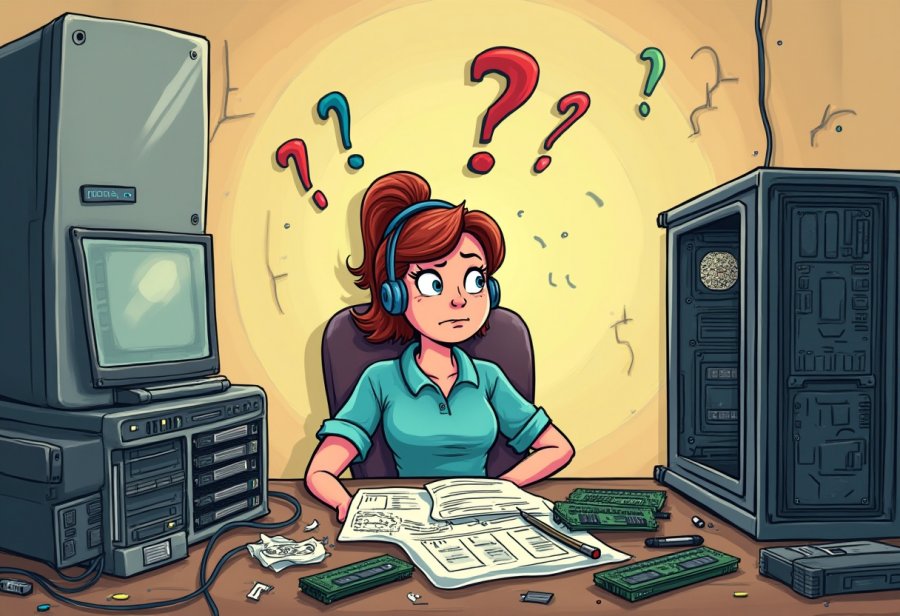
When you start tinkering with your PC, hardware mishaps are almost unavoidable—no matter how prepared you think you are. One common mistake is trying to slot a RAM stick into the wrong slot. You push, you hear a click, but then realize it’s not going in because you’re forcing it like a puzzle piece that doesn’t belong. Sometimes, you forget to remove the plastic protective covers from new components, only to wonder why your shiny new parts aren’t working at all. These small oversights can cause major headaches when your system refuses to boot or recognize the hardware.
Compatibility issues tend to catch everyone off guard. You might buy what seems like the perfect graphics card, only to find it’s too large for your case or conflicts with your motherboard’s slots. These surprises often lead to scrambling for alternatives, returning parts, or risking damage by forcing incompatible pieces into place. It’s frustrating to realize that your big upgrade plan is blocked by a simple mismatch, but it’s a common chapter in any DIY builder’s story.
Trying to install a component without paying proper attention can also lead to accidental damage. Rushing or misreading instructions often results in bending pins or cracking delicate hardware. Pushing a heatsink onto a CPU at the wrong angle, or forcing a graphics card into a slot without aligning it properly, can easily cause damage that’s costly and frustrating. These mistakes tend to happen when you’re eager to finish quickly, but they serve as a harsh reminder to handle everything carefully and deliberately.
Cable management is where chaos really takes over. Instead of a tidy interior, your case might look like a tangled web of wires, each seemingly with a mind of its own. Pulling on one cable can cause the entire nest to shift, making troubleshooting feel like solving an elaborate puzzle. It’s easy to get overwhelmed, wondering how everything got so out of control so quickly. Still, many find that these tangled moments become funny stories later, once everything finally clicks into place.
And then there’s the classic “forgot to connect this crucial cable” scenario. You’ve double-checked your work, flipped the switch, and… nothing. No beeps, no lights—just darkness. Retracing each step, rechecking every connection, and reseating components turn into a frantic game of detective work. These tiny oversights often cause the biggest headaches, but they also remind you how a small mistake can halt an entire project. Once fixed, though, those moments become part of the hilarious saga of your DIY journey.
Laugh-Out-Loud Tales from the Front Lines of Tech Tweaking
One of the funniest parts of tackling a DIY upgrade is the stories that come out of it—often funnier than you’d expect. I remember someone who spent hours swapping out their graphics card, only to realize they’d forgotten to remove the old one first. After all the sweating and awkward maneuvering, they finally got the new card in—and then, as if on cue, knocked over a glass of water right onto their open case. Suddenly, what was supposed to be a quick upgrade turned into a mini swimming pool for their hardware. It’s these moments that turn frustration into good stories later, once the chaos is cleaned up.
Cable spaghetti is another classic tale. Watching someone try to organize a web of wires often feels like witnessing a modern art installation gone wrong. Wires loop, twist, and knot into impossible tangles, making you wonder if your case has become a secret habitat for tangled cables. It’s almost comedic how a simple reconnect turns into a tug-of-war, with cables fighting back at every attempt to tame them. But once everything is finally in place and your system boots up, those tangled messes become legendary stories you’ll tell for years.
Then there’s the familiar “forgot to plug in the power cable” scenario. You’ve double-checked every step, flipped the switch, and… silence. No beep, no lights—just darkness. Frantic rechecks follow, only to discover you missed reattaching a crucial cable. It’s a small mistake that feels huge in the moment but makes for a great laugh afterward. These tiny oversights remind us that sometimes, the tiniest detail can cause the biggest headache—and that the simplest tasks can turn into comedy sketches in the blink of an eye.
Handling hardware mishaps adds to the comedy. I’ve seen people try to squeeze a heatsink onto a CPU, only to bend a pin or crack a delicate component. Rushing or misreading instructions almost always leads to some kind of accidental damage—like forcing a part into the wrong slot or applying too much pressure. These moments sting at first but become funny stories once the dust settles, especially when you realize how a small mistake can turn a straightforward upgrade into a lesson in patience.
Troubleshooting after a failed upgrade offers plenty of material. You spend hours trying to figure out why your system won’t boot, only to discover a loose cable or a forgotten connection. Sometimes, it’s as simple as a power plug slipping out, but the frustration feels like a major crisis. Laughing at these tiny errors later helps defuse the tension. They’re a reminder that no matter how prepared you are, chaos is part of the process—and often, the funniest moments come from those little surprises.
In the end, these stories become part of your personal tech lore. Whether it’s knocking over a drink, tangled cables, or hardware mishaps, each mishap adds character to your DIY journey. The key is not to let frustration take over but to laugh at the absurdity of it all. Those tales are the badges of honor, proof that even chaos has its funny side. Embracing the mess makes the process more enjoyable—and leaves you with stories worth sharing long after the wires are untangled.
Embrace the Mess: Final Thoughts on Patience, Humor, and Learning in DIY Upgrades
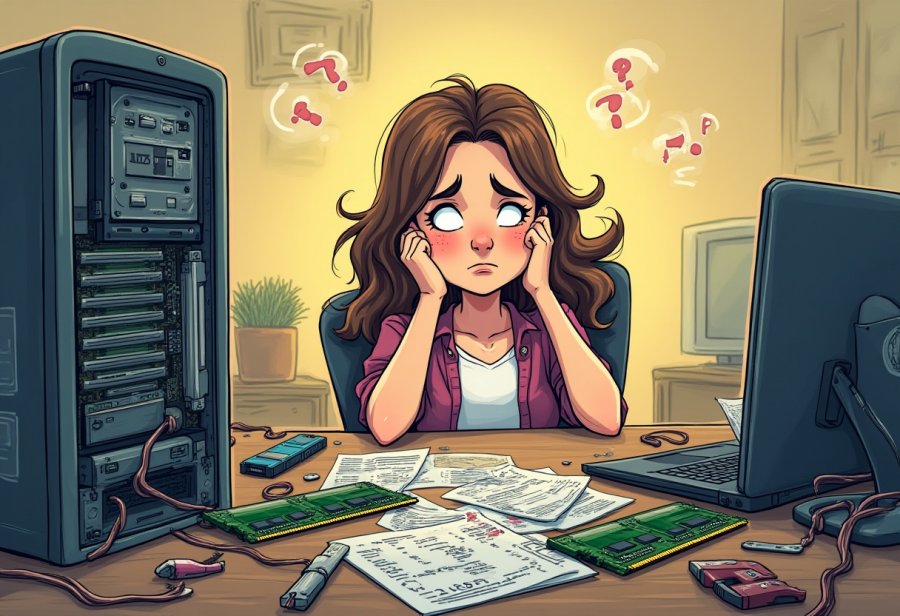
Embarking on a DIY computer upgrade isn’t usually a smooth ride, and that’s part of what makes it memorable. Instead of a seamless, step-by-step process, most people find themselves knee-deep in tangled cables, mismatched parts, and a collection of tools that seem to have a mind of their own. But the real secret is embracing the chaos. Approaching each hiccup with patience and a sense of humor turns what could be frustrating into a fun and rewarding experience.
Trying to keep everything perfectly tidy often feels like chasing a mirage. You might spend more time untangling wires than actually installing components. Small oversights—like forgetting to reconnect a cable or knocking over a tool—can temporarily halt progress and test your patience. Yet, these moments are universal. Everyone who’s taken on a DIY upgrade has a story about a tiny mistake that caused a big headache—and those stories often become the funniest part of the journey later on.
Patience is your best ally here. Rushing through an upgrade invites mistakes, potential hardware damage, and unnecessary stress. Taking your time, double-checking each connection, and handling parts carefully can save you a lot of trouble down the line. A little humor helps too—laughing at a tangled mess or a missed step makes the process lighter and more manageable. Remember, every mistake is just a lesson in disguise, and often, those lessons come with a good story to share.
Handling hardware with care is crucial. Bumping a delicate graphics card or forcing a component into a tight space can cause damage that’s costly and frustrating. Approaching each step deliberately, with gentle movements and attention to detail, prevents mishaps and transforms potential disasters into small victories. The more calmly you work, the more confident you’ll become in managing even the trickiest parts.
The most important takeaway is that chaos and mistakes are part of the DIY process. Instead of dreading errors, see them as opportunities to learn and improve. The more you accept the mess, the more confident you’ll grow. Each tangled cable or missed connection becomes a badge of experience, making your next upgrade smoother and more satisfying. It’s all part of building not just a better PC but also your skills and patience.
Every builder faces mishaps—whether it’s knocking over a drink or working on the wrong screws. The key is not to let frustration take over but to laugh at the absurdity of it all. Those moments become part of your personal tech lore, reminders that mistakes are just stepping stones to mastery. The mess and the missteps make the success even sweeter, turning an ordinary upgrade into a memorable adventure.
So, when you find yourself knee-deep in wires or battling stubborn components, take a breath and enjoy the process. Remember, this chaos is temporary. It’s a sign that you’re learning, pushing your limits, and gaining confidence. Approaching each step with patience and humor makes the whole experience more enjoyable and less overwhelming.
In the end, the true reward isn’t just a faster, shinier machine—it’s the stories you’ll tell and the skills you’ll carry forward. Embrace the mess, laugh at your mistakes, and celebrate each small victory. Because in the world of DIY tech upgrades, the journey—with all its chaos and comedy—is what makes the final triumph worth every moment.